Learning 3D Modelling
Investing a day to learn basic 3D modelling, rigging and skeletal animations.
gaming
Learning 3D Modelling
All of my projects that managed to reach a certain stage of completion so far have been sprite-based games. The concept of frame-by-frame animations is just very easy to grasp, vector maths are easier, and the tooling is abundant. Everyone can fire up an image editor and change some colours or draw something. On the other hand, the world of 3D games seems so obscure and complicated. Vertices, edges, faces, primitives, normals, textures, rigging, animation...what? Now granted, I know a lot of the basics from working with 3D shaders and some of my earliest projects, which were 3D games. But I've only ever dealt with the technical side of it, never with modelling. I would like to be able to make simple 3D games, however, so to scratch that itch, I decided to invest a free Sunday to learn as much as I could.
The Plan
My plan was to make a fairly simplistic, possibly low-poly style, humanoid character from scratch, then add a skeleton to it for animation, learn how to rig it correctly, create one or two basic animations, learn how to assign materials to regions on the model, and in the end export it all to Godot. If that sounds like a lot, that's because it is. I was originally gonna see just how far along this path that one day would take me, but it felt important to map out the entire goal, so to not lose myself in tiny details along the way, which might be interesting rabbit-holes, but not contribute to what I had actually planned.

Yes, I am aware, you can get amazing ready-made, and sometimes even free rig/animation sets (like Massive Library of Free 3D Character Animations or Universal Animation Library 2). But where's the fun in that‽ My goal is to learn, and part of that is doing everything by hand, so I know when and where I fucked up, not some plug-and-play solution that's ultimately a black box if something inevitably misbehaves.
A Banquet of Tools
The one free tool I was aware of, that certainly can do everything I need, is Blender. Blender has been around for ages, even when I first dabbled in 3D-graphics twenty years ago. But Blender is famously complicated to use and understand, so I figured there must be something easier, more streamlined, less complicated. I looked through the 3D modelling tools listed on itch.io, which are plenty. But if you filter for Linux support, and then take into account the maintenance status of the project, only a handful of options remain. The most promising was Dust3D, but that looks like it is dead or at least on hiatus. So I was back to installing Blender.
The great thing about Blender is, in the twenty years since I was last frustrated by it, a lot of smart people have made a lot of tutorials available. Doing things from scratch does not mean doing things unguided, so I just looked up some tutorials about easy character modelling in Blender, and ended up with this one by Joey Carlino. Character modelling for Beginners, sounds perfect. The first five minutes showed me, however, that 'beginners' here meant 'people having never done a character before' and not 'people having never used blender before'.
So after half an hour of learning some shortcuts and concepts, I was back to the video I had originally planned for, which I followed along while trying to reproduce what's happening in blender.
Making my Model
After I felt that I had understood the concept, I turned off the video and started with my own model. I had decided on making a gorilla, because it is humanoid, so I can learn what's probably the most useful and common rigged shape. I pulled some reference images for a side and a front view from the internet and went to work, armed with what I've learned from the video guide. Soon, I had the basic shape of a gorilla, standing in the iconic T-Pose on my screen.
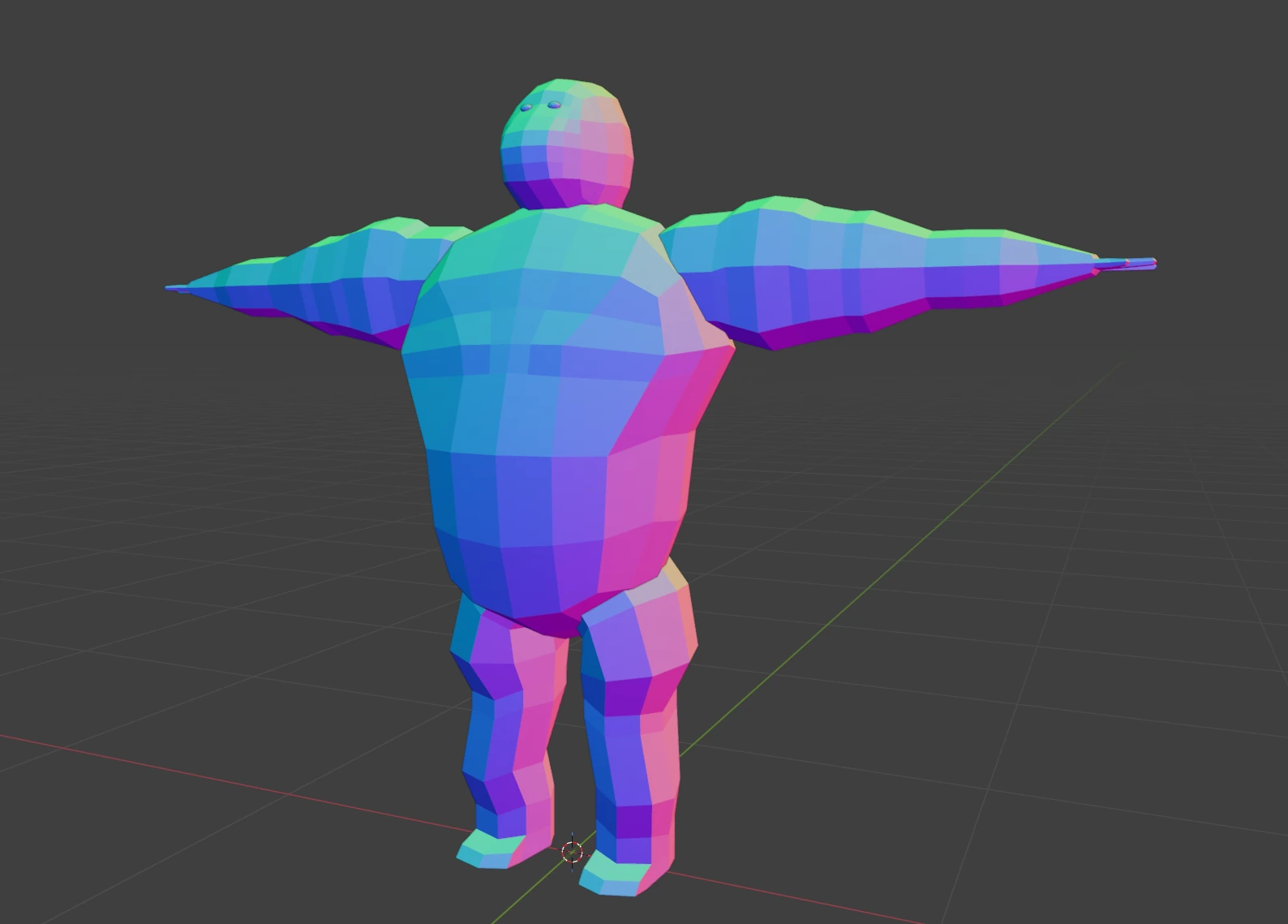
Being unable to model the face to my liking, I added some finer anatomical details using Blender's sculpting mode. This whole thing took me perhaps forty minutes or so. It was a pretty satisfying first attempt for me, and I decided it's good enough to move on.
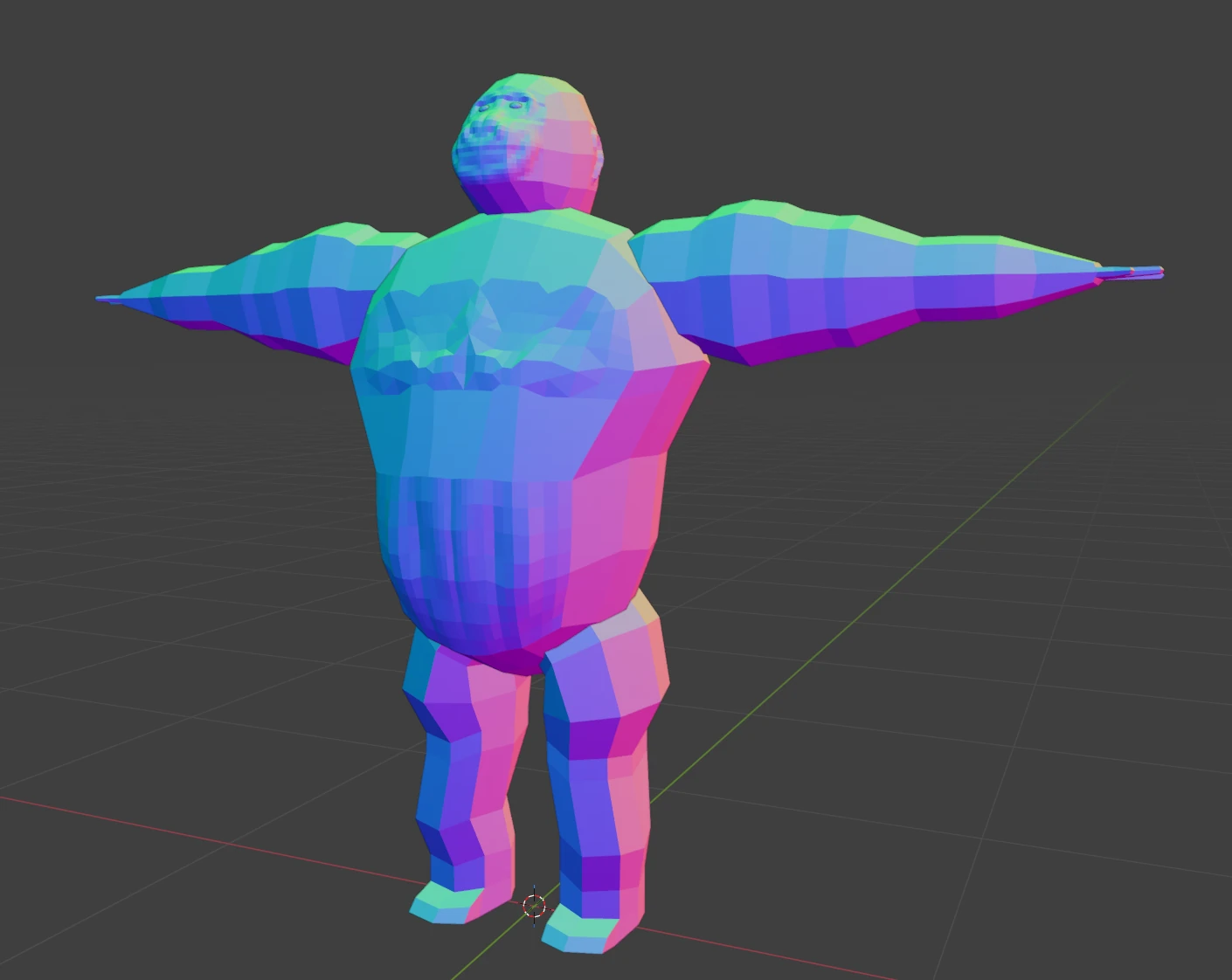
There are some things going on with the model, which I don't understand. Most notably, subdividing some faces does not seem to produce any result on the face, it simply subdivides the edges. I would like to learn more about why that happes, because it is really annoying if it happens to be in an area that you'd like to add more details to. The internet suggested something about ngons, but I couldn't bothered to read more about that, as this seemed exactly like on of those rabbit-holes I mentioned earlier, that would get me sidetracked.
Rigging
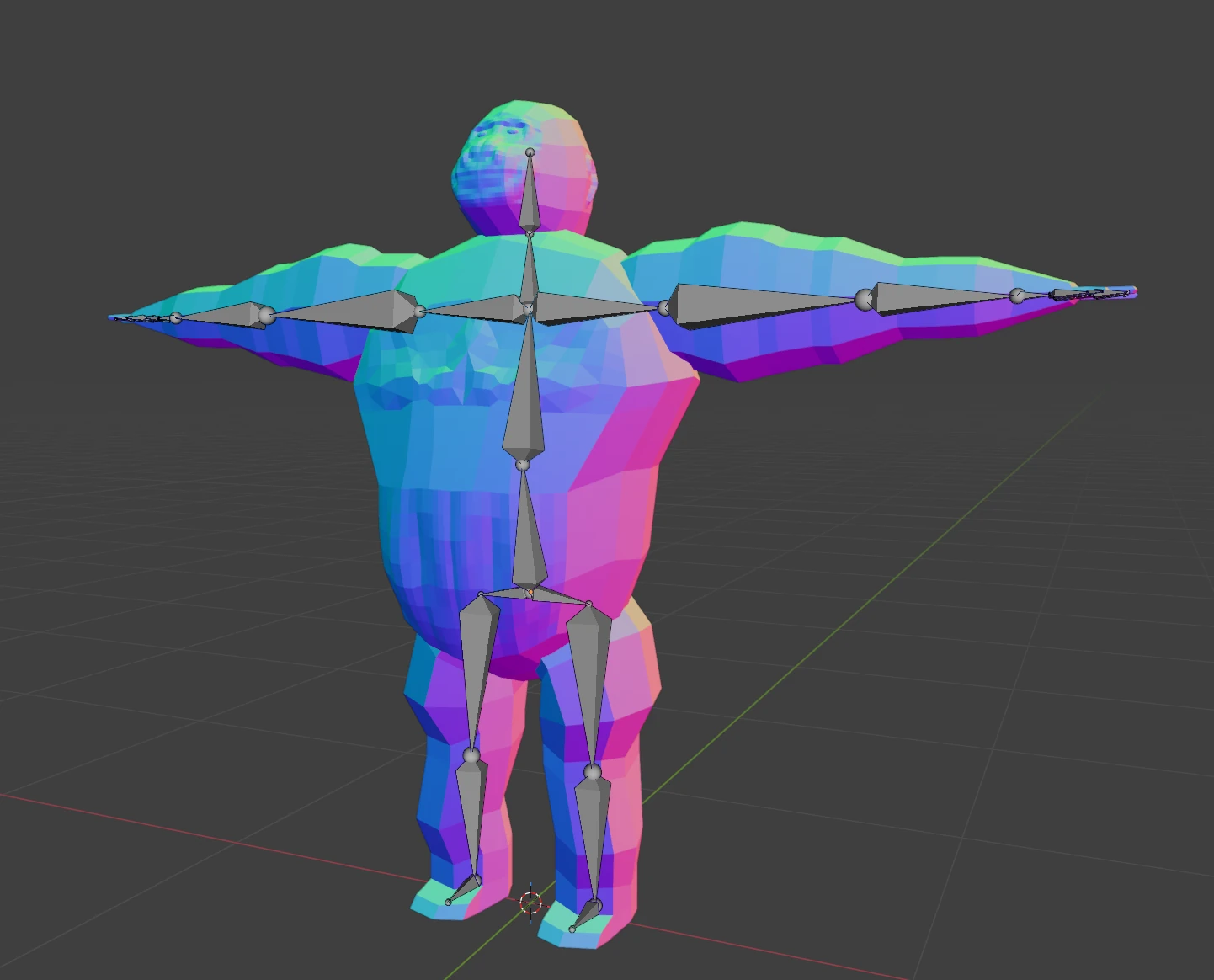
Rigging in Blender seems fairly straighforward. You create at at least two bones, position them inside your model, re-parent one to the other and Blender does some magic to calculate the weights and you have your rigged model. Creating the Skeleton is pretty straightforward, but it always failed at the weight calculation part, which then results in the skeleton just not affecting any of the surrounding model at all.
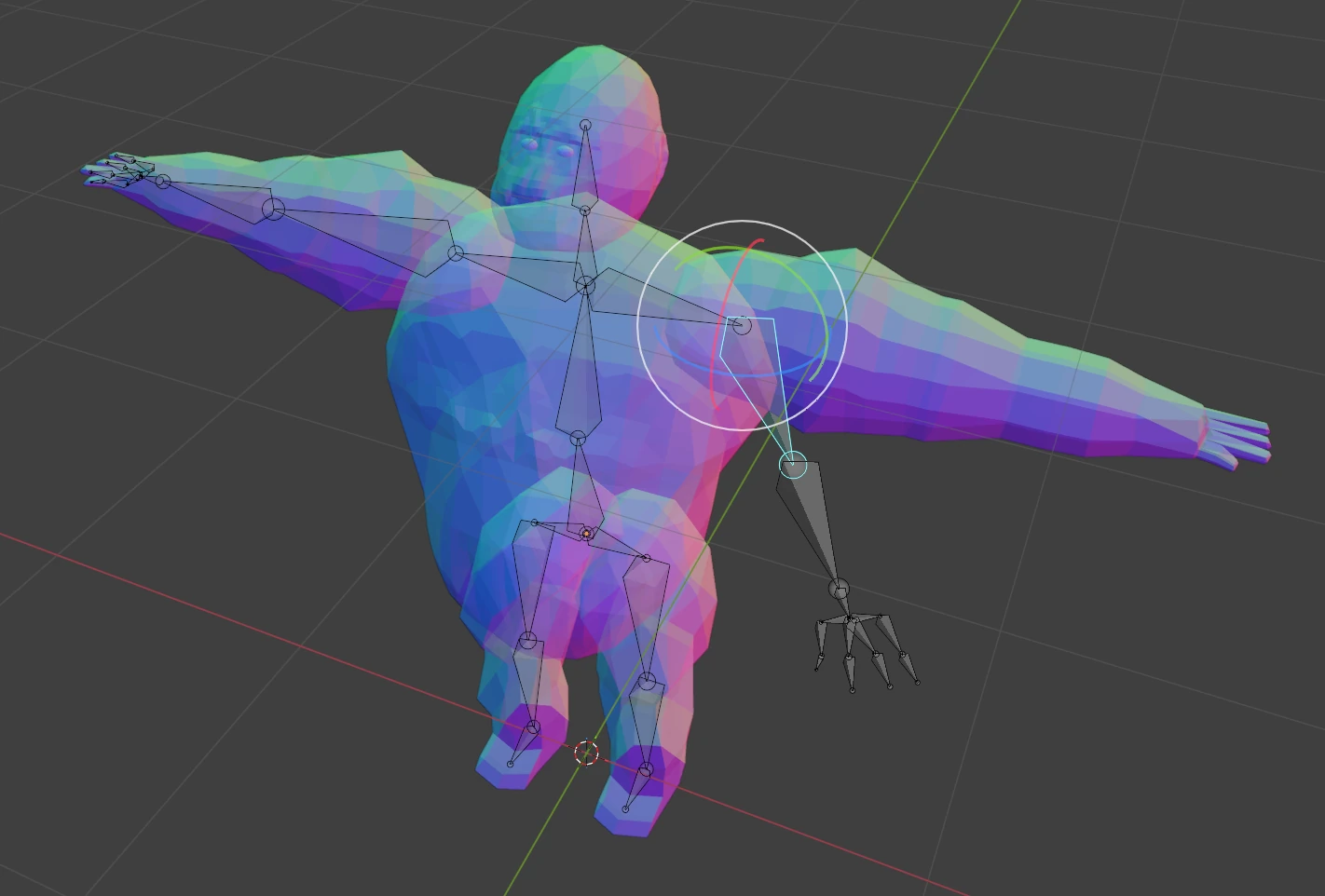
If this process fails, you have to assign the vertices and faces each bone should affect by hand. I said I wanted to do things from scratch, right? Honestly, it isn't such a bad process for a low-poly model, and I'm glad I had to learn what's happening behind the scenes now. It gives you a lot more control over how your animations behave in the end.

Adding the actual animations is pretty straightforward, as you can just save them as keyframes from Blender's Pose mode. And once you have a rig that is set up, you can crank out animations fast. A lot faster than I can for pixel art. On one hand, that isn't really surprising, it is the entire purpose of the skeletal animation system. But on the other hand, 3D always seemed so complicated and daunting, so it still felt weird being able to click together a cool result in literal minutes after the setup was done.
Getting it into Godot
Now I had a rigged model, had some animations, but it was still living as a grey blob inside Blender. I quickly assigned some materials to different faces of the mesh, just to get some variety in the look, and then tried to export it. To get a rigged blender model into Godot, you have to export it in glTF 2.0 format. My first attempt here sadly failed with a bunch of error messages, which had something to do with animations. Through trial and error, I figured out that there was something wrong with a bunch of animations that I had started, then deleted, moved around or otherwise left hanging in an unfinished state. The exporter doesn't like these, so I had to use the animations filter to only pick the ones I really needed. A much cleaner solution anyways.
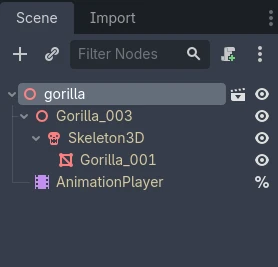
The resulting file will then be imported into Godot as a scene, which you can just use like any other Node3D. The scene contains an AnimationPlayer that has all the animations you exported ready to go. Very handy. If you want to modify the character, say add a script or a collision mesh, you'll have to create an inherited scene, as to not alter the imported one directly. But the editor will tell you all that with a nice popup dialog.

And that's it, I could now work with my gorilla in Godot. Pretty cool. The whole process took me a solid day of tinkering and learning, but I am now much more confident in being able to make 3D work for a game, even if it's under time-pressure, like during a game-jam. If you're like me, and 3D always felt a little bit daunting and too complicated, maybe also give it a day to see if it actually is. I was surprised!
What's next
After having completed my initial plan, I am now free to explore all the rabbit-holes. I want to understand why my model was misbehaving a bit, or rather learn how to make an actual clean model that doesn't have edges facing the wrong way and such. And I want to look into inverse kinematics, which would be another big speed boost for creating animations. But all that is for a different day and a different post.